
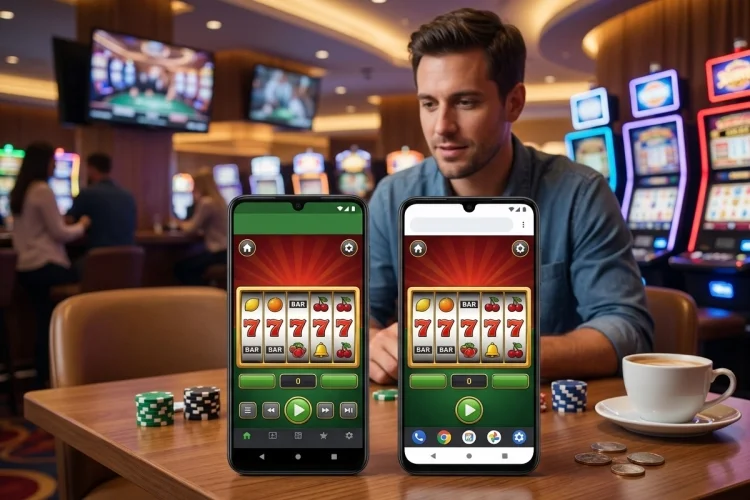
Android gives mobile users plenty of flexibility. A gaming service may offer a dedicated app, a browser-based version, or a web app that sits on the home screen almost like installed software. That flexibility is useful, but it can also make the best option less obvious.
This Android Slots Guide looks at the decision from a practical angle. Instead of assuming an app is always superior, we will compare storage, phone compatibility, updates, security, data use, permissions, and convenience.
The right option often depends more on your device and habits than on the slot games themselves.
Choose an App When You Want Dedicated Access
A native or dedicated Android app is designed to exist as a separate application on your device.
That can make everyday access straightforward.
You tap one icon, log in, and reach the platform without first opening a browser.
Apps may also provide device-integrated features such as notifications or biometric authentication when supported.
For somebody who regularly uses the same licensed platform, that convenience can be valuable.
The drawback is commitment.
Every installed app consumes storage, maintains cache data, and requires updates. Installing several different casino applications simply to try a few games can quickly clutter a phone.
An app therefore makes the most sense when you actually expect to use it often.
Choose Browser Play When You Want Less Clutter
Browser gaming removes the need for a seperate full application.
Open Chrome or another compatible browser, visit the website, and launch the game.
This approach is particularly useful for people with limited storage or those who prefer not to maintain several gaming apps.
It can also make occasional access simpler.
If you only want to explore a demo or check a game once, downloading a large app first may feel unnecessary.
Browser play has another practical advantage: website changes happen on the server side.
When an operator changes menus or adds supported games, the updated version can appear automatically the next time the site loads.
You still need an up-to-date browser, but you do not necessarily need a separate operator-app update every time the platform changes.
Check Your Android Version Before Comparing Performance
Compatibility is easy to overlook.
An app can have its own minimum Android version, hardware requirements, or supported screen resolutions.
Browsers have requirements too.
As of September 2026, Google’s Chrome installation guidance states that the current Android version of Chrome supports Android 10 and later.
This matters for older phones.
If your device can no longer run a current browser, even browser-based gaming may eventually encounter compatibility or security problems.
Likewise, a new native app may not support very old versions of Android.
Before blaming an operator because a slot does not load correctly, check your operating system, browser version, available memory, and free storage.
Compatibilty problems can look surprisingly similar to poor game optimization.
App Availability Is Not the Same Everywhere
Android users sometimes search for a particular casino app and assume something is wrong when Google Play returns no result.
That may simply reflect regulation.
Google Play permits approved real-money gambling applications only in eligible countries and regions. Developers must hold appropriate licences and apply geographic restrictions so users outside authorised areas cannot use the gambling functionality.
The permitted product types can also vary by jurisdiction.
An online casino app might therefore be available in one market while only sports betting or lottery products are permitted in another.
This is important when reading guides written for other countries.
Do not assume instructions saying “download it from Google Play” will apply everywhere.
Browser availability can also be restricted by the operator based on your current location.
Be Extra Careful With APK Downloads
When an app is missing from Google Play, some websites immediately recommend downloading an APK.
That requires caution.
Android does support applications from outside Google Play, but Play Protect specifically checks apps from other sources for potentially harmful behaviour and can issue warnings or block suspicious installations.
Android is also expanding developer verification.
Google states that, starting in September 2026, apps downloaded from participating stores on certified Android devices in Brazil, Indonesia, Singapore, and Thailand must be registered by verified developers to install and receive updates.
The practical lesson is simple: never treat an APK as trustworthy merely because it carries a familiar logo.
Use installation files only when the source can be verified as belonging to the legitimate licensed operator.
A copied interface can look profesional while still containing malicious code.
Browsers Avoid APK Risk but Add Phishing Risk
Choosing the browser does not mean security stops mattering.
Instead of worrying primarily about a fake application package, you need to watch for fake websites.
Phishing pages often imitate the design of a real company closely enough to fool users who arrive through an advertisement, text message, or mistyped search.
Chrome has phishing and malware detection enabled by default and can display warnings for websites associated with dangerous software, social engineering, or deceptive activity.
Do not ignore those warnings just because a page claims that they are an error.
Bookmarking the verified website can also help.
Once you have confirmed the correct address, returning through that bookmark is safer than searching for the site from scratch every time.
The same principle applies to app stores: navigate from an official operator website to its verified store listing rather than trusting a random download advertisement.
Turn a Browser Site Into a Home-Screen Shortcut
One reason people choose apps is convenience.
Android browsers can provide a similar experience without requiring a conventional native app.
Chrome allows users to create website shortcuts on the home screen. Websites configured as web apps can also be installed so they launch more like standalone applications.
This approach can be useful if you prefer browser technology but dislike repeatedly entering the address.
The shortcut is not automatically equivalent to a native application.
Performance, offline capabilities, notifications, and system integration depend on how the website has been developed.
For server-based slot gaming, an internet connection is still required even if the site icon looks like an installed app.
Think of it as faster access rather than a promise of offline gameplay.
Compare Storage, Cache, and Updates
Storage is one of the easiest differences to measure.
Install an app and Android will show its total footprint, including application files, user data, and cache.
Browser platforms mainly rely on the browser plus saved website data.
If your phone has 256 GB of free space, this distinction may barely matter.
On a lower-storage handset, keeping several large apps can become annoying.
Updates also differ.
Native apps generally receive updated packages through their distribution channel.
Web platforms can change without a user manually downloading an operator update, although the underlying browser still needs security and feature updates.
Google notes that Chrome can update automatically so users receive newer security protection when available.
Whichever option you use, running very outdated software is a poor trade-off just to avoid an update.
Review Location and Notification Permissions
Real-money gambling services may legitimately need location information to confirm that a user is inside an authorised region.
That does not mean you should grant every requested permission.
Chrome lets Android users control site permissions individually, including location, camera, microphone, notifications, pop-ups, and other capabilities.
Android apps also expose permission controls through the operating system.
Review them occasionally.
Notifications are a good example.
Some people like alerts from frequently used services. Others find promotional notifications distracting.
There is no reason to leave every alert enabled simply because an app requested access during setup.
The same rule applies to website notifications.
Control the device rather than allowing every service to control your attention.
Think About Mobile Data and Connection Quality
Both app and browser slot games still depend heavily on internet access because important game activity is handled online.
Poor connectivity can cause slow loading, frozen interfaces, or interrupted sessions regardless of the format.
An app may cache certain graphical resources locally, potentially reducing repeated downloads for some content.
A browser can also cache website files.
The actual data difference depends on the platform.
If mobile data is limited, monitor Android’s per-app usage instead of assuming one format automatically consumes less.
Wi-Fi quality matters as well.
A weak connection can produce lag even when the phone itself is powerful.
Before changing browsers or reinstalling an app, compare performance on a stable network to seperate connection problems from software problems.
When Browser Play Is the Better Fit
Browser access is often practical when you use a service occasionally, have limited storage, or want to test the mobile interface before installing anything.
It is also useful when no approved native app is offered for your device or region but legal web access remains available.
You still need to verify the website and keep browser protection active.
Chrome Safe Browsing is designed to warn users about malicious websites and downloads, including phishing and malware threats.
A browser is therefore not the “unsafe alternative” to an app.
Security depends largely on which website you visit, how your browser is configured, and whether you respond sensibly to warnings.
When a Dedicated App Makes More Sense
An app becomes more attractive when you use the same licensed platform regularly and want direct access from the launcher.
It can also provide a cleaner full-screen interface with fewer browser controls surrounding the game.
The key word is official.
Check that the application comes from the correct developer and that its availability makes sense for your region.
Google requires approved real-money gambling applications on Play to meet licensing, age-gating, geographic, and responsible-gambling requirements.
Those requirements do not mean every app on the internet is trustworthy.
They mean a verified distribution path gives you more information to work with than an anonymous download page.
A useful Android Slots Guide should not declare apps or browsers the automatic winner. Browser access is lighter and convenient for occasional use, while a dedicated app can provide faster everyday access and tighter system integration.
Compare compatibility, storage, update requirements, security, permissions, and regional availability first. Then use the official option that best fits your phone and usage habits.